
- How long should you stand at a standing desk? A simple schedule - November 3, 2026
- Best Standing Desks for Small Spaces: 2026 Buyer’s Guide - November 2, 2026
- Best Monitor Arm (2026): Top Picks by Budget and Desk - October 30, 2026
The Uplift V3 tops the 2026 best standing desks lists at Tom’s Guide and Business Insider, and it holds 355 pounds. It’s also one of the pricier routes. Several cheaper desks beat it for specific jobs, and one of them costs about $110.
The best standing desks for most people are dual-motor models with a three-stage frame, a height range near 23 to 49 inches, and a warranty that covers the motors. The Uplift V3 is the top all-round pick, the FlexiSpot E7 Pro is the strongest value, and the Fezibo is the cheapest desk worth buying. Match the desk to your height and gear weight first, then to your budget.
Key takeaways
- The Uplift V3 runs 22.8 to 48.7 inches, carries 355 pounds, and costs $699 to $1,019 depending on size and options.
- The FlexiSpot E7 Pro lifts 440 pounds and was listed at $529.99 in October, down from $639.99.
- The Fezibo costs $109 to $199 but has one motor and a 176-pound limit.
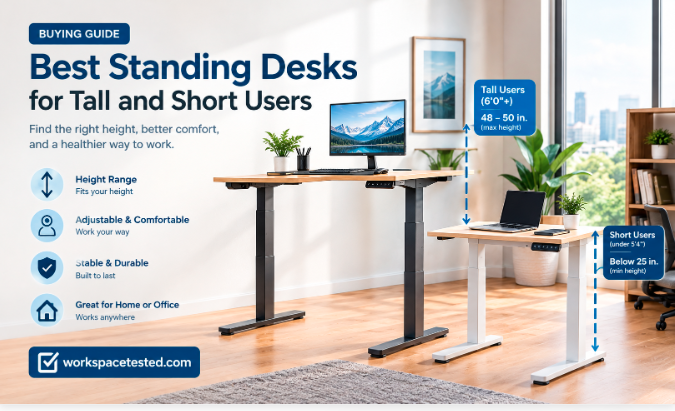
- Over 6 feet tall? Look for a maximum height of 48 to 50 inches. Under 5 feet 4 inches? Look for a minimum below 25 inches.
- Standing more didn’t lower heart risk in a study of 83,013 adults, so plan to move as well as stand.
- Black Friday lands on 27 November, and some FlexiSpot cuts began on 17 November last year.
The best standing desks for most people in 2026
One desk fits the widest range of people: the Uplift V3. The table below covers everyone else, sorted by what you’re likely to need.
| Desk | Best for | Height range | Capacity | Price |
| Uplift V3 | Best overall | 22.8 to 48.7 in | 355 lb | $699 to $1,019 |
| FlexiSpot E7 Pro | Heavy loads, value | 25 to 50.6 in | 440 lb | about $530 on sale |
| Hinomi S1 | Quiet home office | 25.2 to 50.4 in | 264.55 lb | $509 to $599 |
| Fezibo | Tight budget | 27.5 to 46.9 in | 176 lb | $109 to $199 |
| Vari L-Shape | Corner setups | 25 to 50.5 in | 200 lb | $1,349 to $1,499 |
Five desks can’t cover every room, so later sections add picks for tall users, small spaces, gaming and premium builds. Prices come from retailer ranges and sale listings I found in October 2026, and they move weekly. Treat each figure as a starting range and check the store before you buy. Every row is a pick from at least one major outlet, which is the filter I used for the best standing desks in this guide.
A note on method. I haven’t built or lived with these desks. The ranking leans on published testing from Tom’s Guide (more than 27 desks), Wirecutter, Forbes Vetted, Business Insider and TechRadar, then gets checked against owner complaints on deal forums and Blind. Tom’s Guide updated its list on 28 September, and TechRadar’s refreshed within the past week. Reviewers still disagree. Forbes ranks the Branch Duo first, while Wirecutter’s 2026 guide reportedly sends most people to the Uplift. I flag those splits below and mark anything I couldn’t confirm. New to sit-stand desks? Start with standing desk buying guide.
Uplift V3: the best overall standing desk
The V3 wins because it rarely forces a tradeoff. Tom’s Guide describes the frame as very stable at any height, and Business Insider also ranks it first, citing stability, customization and the 355-pound limit. The dual-motor lift travels 22.8 to 48.7 inches. Desktops run from 42 by 24 inches up to 80 by 30, so a laptop setup and a three-screen rig both fit.
Assembly takes one tool, and a cable tray ships free with every desk. It’s wider than the V2’s tray and flexible, so you can tune its height and position. Wirecutter’s 2026 guide, as summarized by a third-party site, says the frame fits people from 4 feet 9 inches to 6 feet 8 inches, with more than 30 desktop options and a four-position keypad as the recommended upgrade.
The catch is price creep. List prices run $699 to $1,019 by size and options, and Tom’s Guide warns that a fully loaded build gets expensive fast. Too many choices can also overwhelm a first-time buyer. Forbes Vetted ranks the Branch Duo first overall and gives the V3 its best customizable slot, so the Uplift isn’t a unanimous winner.
Uplift advertises 15 years of coverage on the frame and desktop. A comparison published by rival brand OffiGo says buyers pay warranty shipping after the first year, so read the policy page before you order.
It’s the best standing desk for people who expect their setup to change. Add a monitor arm, a keyboard tray or a bigger top later, and the V3 keeps up. Skip it if you only need a plain desktop at a plain price.
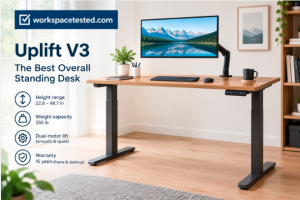
Uplift V3:Check amazon latest price
Best budget and value standing desks
Budget buyers get two clear choices: spend about $110 on a Fezibo, or stretch to roughly $530 for a FlexiSpot E7 Pro. The Hinomi S1 fills the gap between them.
Tom’s Guide and TechRadar both name the Fezibo the best budget standing desk. It runs $109 to $199 by size, and even the 60-inch top stays under $200. You get three height presets, rear grommets for cables and a range of 27.5 to 46.9 inches. The tradeoffs are real: one motor, a 176-pound limit, and a desktop that arrives in two pieces. Business Insider picks the FlexiSpot E2 for budget instead, and TechRadar listed the FlexiSpot EN1 at $109.99 on Amazon, down from $159.99.
The E7 Pro is the value pick. Business Insider calls it the best heavy-duty desk at 440 pounds, and TechRadar’s October deals page listed it at $529.99, down from $639.99. TechRadar’s comparison table gives it 25 to 50.6 inches of travel and a 15-year warranty.
The Hinomi S1 runs $509 to $599. Tom’s Guide praises its near-silent dual motor, four presets and rounded edges, though it has no first-party cable tray.
Owner reports on cheap desks split hard. On deal forums, one buyer called a 48 by 30 FlexiSpot very wobbly for typing, another reported no wobble at all, and a third said a motor died after a day. That spread of experience is why I’d buy anything under $200 from a seller with easy returns.
My position: if you can reach $500, do it. The extra money buys a second motor, two and a half times the capacity, and a longer warranty. If you can’t, the Fezibo works for a laptop and one monitor.
FlexiSpot E7 Pro:Check amazon latest price
Best standing desks for tall and short users
Height range decides this category, so check the numbers before the reviews. The best standing desk for tall users and the best one for short users are rarely the same model.
Most adults need a desk surface of about 25 to 30 inches when seated and 38 to 46 inches when standing, with elbows at 90 degrees. Under 5 feet 4 inches, you need a minimum below 25 inches. Wirecutter frames its shorter-user testing around that same height, the average for US women. Above 6 feet 2 inches, you want a maximum of 48 inches or more. Tom’s Guide sets the bar at 48 to 50 inches for anyone over 6 feet.
Tall users
The FlexiSpot E7 Plus offers a tall frame that reaches 51.6 inches, and Tom’s Guide says even someone Shaq’s size could stand at it. The Hinomi S1 tops out at 50.4 inches and the Uplift V3 at 48.7. The Branch Duo stops at 47.5 inches, and Forbes notes that taller testers tilted their heads down to see the screen.
Short users
The V3 drops to 22.8 inches and the E7 Plus short frame to 24. Wirecutter’s 2024 testing found the Fully Jarvis with its low-range three-stage frame works for people as short as 4 feet 9 inches. The Branch Duo, at 28 to 47.5 inches, suits people from 5 feet 8 inches to 6 feet 5 inches.
Finished height equals frame height plus desktop thickness, which often adds around an inch. Measure your own numbers:
- Sit with your elbows at 90 degrees and measure from the floor to your forearm.
- Stand the same way and measure again.
- Subtract the desktop thickness from each number to find the frame range you need.
Best standing desks for stability and heavy setups
Wobble at standing height is the complaint reviewers and owners raise most. Four legs fix much of it. Tom’s Guide says a four-leg desk is steadier than a two-leg one, and Reddit-based summaries agree, especially on carpet. Among the best standing desks for heavy gear, the four-leg models lead.
The FlexiSpot E7 Plus uses a four-legged design with three-stage columns and holds 440 pounds, though Tom’s Guide calls assembly complicated. TechRadar’s reviewer found little to fault in it beyond its weight. Business Insider reports the E7 Pro lifts that same 440 pounds without wobbling. TechRadar’s October page lists the Uplift 4-Leg at $859, down from $959. Tom’s Guide describes the Branch Four Leg as a quad-motor desk with a plywood-edge top, starting at $949.
Floors matter too. One deal-thread owner said even a dual-motor desk wobbles a tiny bit on carpet at full height. Level the feet and test at your real standing height, not halfway up.
Run this test during your return window:
- Raise the desk to your standing height.
- Load it with your actual monitors, PC and arms.
- Push on the front edge while typing and watch your screen.
Tom’s Guide uses a similar test, rocking each desk at maximum height. It also checks whether a full cup of coffee survives a lift without spilling.
Most two-leg electric desks hold 200 to 300 pounds, per Tom’s Guide. Weigh your gear before trusting the label. My view: for a heavy rig, the best standing desk is the one with the most legs and the longest warranty, not the nicest top. Three monitors and a tower PC push you toward a four-leg frame, while a laptop and one screen run fine on a good two-leg desk.
Best standing desks for small spaces
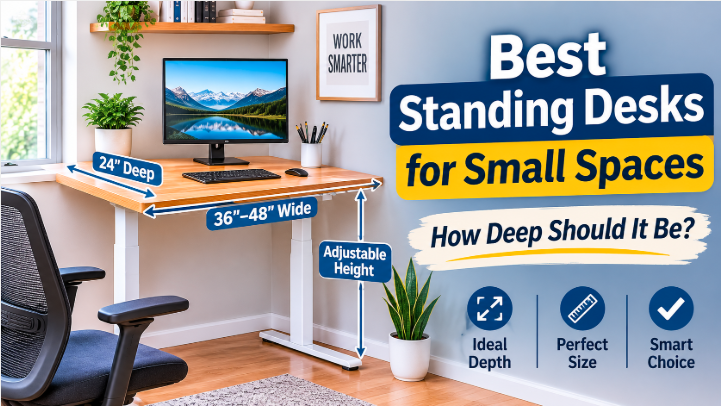
The Branch Duo is the small-space pick at Business Insider, which lists a 36 by 24 inch size with no wobble. Forbes Vetted makes it the top overall choice, citing a C-shaped frame that can double as a side table and a keypad that reminds you to switch positions. It has two flaws. Forbes notes some reviewers struggle to roll it over thick carpet, and its maximum height is lower than the other desks on that list.
Tom’s Guide gives its best standing desk for small spaces award to the Progressive Mini Ryzer. It measures 30 by 30 inches, travels 23 to 49 inches and holds 180 pounds. Tom’s Guide lists it at $393, though the maker’s site often sells it for about $315. It uses a single-motor, single-leg design, which feels less stable than a multi-leg desk, and its anti-collision sensing worked in testing.
The Hinomi S1 starts at 39 by 24 inches, the smallest size in its range, and Tom’s Guide found it easy to assemble. Measure your monitor stand and keyboard before you pick a narrow top, since a short desktop saves floor space but caps your surface.
Consider a standing desk converter if you can’t replace your current desk. Tom’s Guide puts converters at $100 to $400 and says they suit offices and dorms where you can’t swap furniture. The risk is sunk cost. If you stop standing, the converter becomes a paperweight, while a height-adjustable desk still works as a normal desk.
My view: in a small room, a 36 to 48 inch desk with dual motors is the best standing desk option, and it beats a converter on a regular table. You keep the legroom, and the desk goes down to a normal sitting height.
Best L-shaped, gaming and premium standing desks
Specialty desks cost more and ask for tradeoffs. Here’s where each one earns its price.
The Vari L-Shape runs $1,349 to $1,499 in 80 by 60 or 80 by 80 inch sizes. Its tri-motor design drives a reversible extension, so the short side can go left or right. Tom’s Guide flags a 200-pound limit and a price well above a standard desk.
For the best standing desk for gaming, Tom’s Guide picks the Corsair Platform 4 at a list price of $999. It measures 48 by 30 inches, travels 29 to 48 inches and holds 265 pounds. The package includes a good monitor arm and a large cable tray, but only two height presets. Tom’s Guide saw it drop to $449, so watch sales. TechRadar’s gamer pick is the Secretlab Magnus Pro, though its metal surface won’t take screws for accessories.
The Autonomous SmartDesk 5 Pro is the cable-management pick. Its tray drops down and has built-in power, though after the desk’s own plug you get only two usable outlets. It comes in one size, 55 by 29 inches, travels 30.7 to 49.7 inches and holds 330 pounds.
The Oakywood Standing Desk Pro is Tom’s Guide’s premium choice. It has a solid oak or walnut top and a LINAK frame, and it runs $1,429 to $3,000. Capacity is only 154 pounds, and the wood needs refreshing every 6 to 12 months. Forbes names the Herman Miller Jarvis Bamboo its best premium desk instead.
If you run heavy monitors, I’d pick the Vari or the Corsair over the Oakywood. Beauty is nice, but 154 pounds disappears fast under a multi-screen rig. Buy the Oakywood only when the desktop is the point.
Single motor vs dual motor: which one to buy
A single-motor electric standing desk drives both legs with one motor and a tension rod, which is why you’ll see a cylinder beside one leg. Tom’s Guide finds these desks louder, harder to assemble and weaker under load. A dual-motor desk puts one motor in each leg, so it moves quieter and carries more. Tom’s Guide adds that you don’t have to worry about a tension rod loosening over time.
The capacity numbers show the gap. The single-motor Fezibo holds 176 pounds. The dual-motor Uplift V3 holds 355, and the E7 Pro holds 440. Most standard two-leg desks sit at 200 to 300 pounds, so the best standing desk for a heavy setup is nearly always dual motor.
Owners don’t fully agree on reliability. In a Slickdeals thread on a Monoprice frame, one commenter argued that a single motor means one fewer failure point, and another said two cheap motors raise the odds of failure. A third owner reported three trouble-free years on the dual-motor version. That’s anecdote, not data, but it tells you motor count alone won’t predict a desk’s lifespan.
Weigh these factors together:
- Noise: dual motors run quieter, and Tom’s Guide calls the Hinomi S1 near silent.
- Capacity: check the rated pounds against your actual gear.
- Frame stages: three-stage legs, like the E7 Plus uses, give a wider height range.
- Safety: look for anti-collision sensing, which the Mini Ryzer had.
- Storage: built-in drawers sometimes force a single motor, as with the FlexiSpot Comhar.
My rule is simple. If the desk will carry two monitors or more, or someone shares it, buy dual motor. For one laptop and a starter budget, single motor is acceptable.
Standing desk warranty, wobble and what breaks
Wirecutter’s testing criteria include a warranty of at least five years, a refund window of 30 days or more, free return shipping, and assembly no harder than IKEA furniture. That’s a sensible bar for any desk on a best standing desks list.
Warranty numbers conflict across sources. TechRadar’s table lists 15 years for the E7 Pro, 10 for the E7 Plus, and 5 each for the Fezibo, Secretlab Magnus Pro and Corsair Platform 4. Another comparison lists an E7 frame at 5 years for frame and motor but only 2 for electronics. It also lists Branch at 10 years for desks bought after 1 January 2023, and Autonomous at 5 years for single-motor frames but 10 for dual-motor ones. I can’t tell which version applies to your model and region, and several of these lists come from brands themselves.
Electronics fail first. A Reddit aggregator says owners treat electronic failure as the main end-of-life event, and that cheap laminate tops peel and wear after years of use. Frames last, but control boxes and motors get tested every time you press a button.
Before you buy, check four things:
- Which parts the warranty covers: frame, motors, controller and desktop separately.
- Who pays for shipping on a claim, and for how long.
- The return window, and whether return shipping is free.
- Whether replacement parts exist. Monoprice told one buyer it doesn’t sell motors on their own.
Ask whether the controller and handset carry the same term as the frame, because on some desks they don’t. Screenshot the policy page on the day you order, whichever of the best standing desks you pick. Warranty language changes, and a dated image settles disputes.
How long to stand: what the health research says
A standing desk doesn’t fix sitting. A University of Sydney study tracked 83,013 UK adults and found standing time didn’t lower cardiovascular disease risk. Each extra 30 minutes of standing past two hours a day came with an 11 percent higher risk of circulatory problems, such as varicose veins.
Caveats apply. The study is observational, so it can’t prove cause, and the participants averaged 61 years old. A 2026 study in Scientific Reports also linked longer workplace standing to venous disorders, which points the same direction. One researcher quoted in coverage noted that standing involves few muscle contractions, so it doesn’t work like exercise. Another study found that alternating sitting and standing with short walks beats standing alone, and the Sydney team recommends 150 minutes of moderate activity each week.
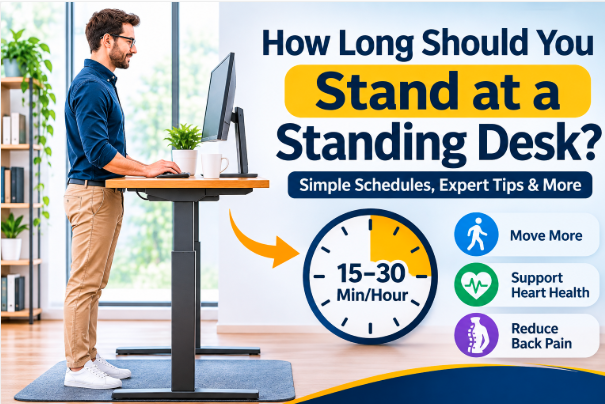
So I’d use the best standing desk as a posture-switching tool, not a health fix. Tom’s Guide suggests standing for 15 to 20 minutes for every 30 minutes seated, and programming one preset for each position. A desk with four presets lets you add a second sitting height and a second standing height. Tom’s Guide also credits standing with curing mid-day sleepiness. I’d treat that as the writer’s experience, not evidence.
Under-desk walking pads fit beneath most standing desks, and they add the movement that standing lacks. best walking pads
Anyone with leg-vein problems, pregnancy or back pain should check with a doctor before standing for long stretches. A PubMed review cited by The Star links long workplace standing to lower back and leg pain and fatigue. International Journal of Epidemiology, University of Sydney standing study
Black Friday standing desk deals: when to buy
Black Friday falls on 27 November 2026, 39 days from now, and the early discounts have started. TechRadar’s October deals page lists the E7 Pro at $529.99 (was $639.99), the Vari ComfortEdge at $799 (was $899) and the Uplift 4-Leg at $859 (was $959). Those are the best standing desk deals I could confirm today.
Last year’s pattern is a useful guide, though I don’t yet have 2026 prices. FlexiSpot ran an early event, with E7 discounts of up to 40 percent from 17 November, and warned that express shipping gets delayed in the Black Friday rush. In an earlier Tom’s Guide deals roundup, Uplift skipped the markdown and threw in six free accessories at full price. Brands run their sales differently, so don’t assume every desk drops. FlexiSpot’s guide mentions flash sales and preview pages, so the best standing desk deals can vanish quickly.
Watch for inflated list prices. Deal-thread users have flagged “was” prices that looked artificially high. Tom’s Guide’s own V3 table shows $699 to $1,019 while its deal widget showed $469, so a discount only means something against the real price history.
Use this plan:
- Pick your desk by height range, capacity and warranty first.
- Set a maximum price in advance.
- Check the seller’s return window before you click buy.
- Order in the first half of November if a desk hits your number, since shipping slows later.
I’d rather buy early at a good price than wait for the 27th and risk a sold-out size. If the desk you want never gets discounted, pay full price, because a good desk beats a cheap one you’ll replace.
Standing desk FAQ
What is the best standing desk overall?
The Uplift V3 is the top all-round pick at Tom’s Guide and Business Insider, thanks to its stability, customization and 355-pound capacity. Wirecutter’s 2026 guide reportedly agrees. Forbes Vetted puts the Branch Duo first instead. Pick the V3 for flexibility and the Duo for compact spaces.
Is a single-motor standing desk good enough?
For a laptop and one monitor, yes. Expect more noise, slower lifts and a lower limit, like the Fezibo’s 176 pounds. Heavier setups belong on dual-motor frames, which carry 355 to 440 pounds in the models above.
How tall should a standing desk be?
Your elbows should sit at 90 degrees both seated and standing. Most adults need about 25 to 30 inches seated and 38 to 46 inches standing. Over 6 feet 2 inches, look for a maximum of 48 inches or more.
How much weight can a standing desk hold?
Most two-leg electric desks hold 200 to 300 pounds. Heavy-duty frames reach 355 to 440 pounds. Add up your monitors, PC and accessories before you buy, and stay under the rating.
Are standing desks worth it for your health?
They help you change posture, but a large study found standing didn’t improve heart health. Mix standing with walking breaks. A reasonable pattern is 15 to 20 minutes standing for every 30 seated.
Should I buy a standing desk or a converter?
A converter costs $100 to $400 and suits offices or dorms where you can’t replace furniture. If you own your space, a desk is the better long-term buy. A converter becomes useless the day you stop standing.
Summary: how to choose the best standing desk
The best standing desks pair a height range that fits your body with dual motors and a warranty that covers the electronics. Choose in this order, because each step narrows the next.
- Height range. Match your seated and standing elbow heights, minus the desktop thickness. Tall users need 48 to 50 inches of travel, and short users need a minimum under 25.
- Weight. Add up your gear. Under about 200 pounds, a good two-leg desk works. Beyond that, move to a four-leg frame like the E7 Plus.
- Motors. Buy dual motor for anything beyond a starter setup.
- Warranty and returns. Look for five years or more, 30 days to return, and free return shipping, then confirm the terms on the maker’s page.
- Budget. Pay about $110 for the Fezibo, about $530 for the E7 Pro, or $699 and up for the V3.
By situation, the Uplift V3 suits most people, the FlexiSpot E7 Pro suits heavy setups and tight budgets, and the Hinomi S1 suits quiet shared rooms. The Branch Duo or the Mini Ryzer fits a small apartment, and the Vari L-Shape fits a corner office. The Fezibo is for testing whether you’ll use a standing desk at all.
One gap remains. I found no published long-term failure rates for these desks, only owner anecdotes, so warranty length is the best durability signal you have.
Then use the desk well. Presets set for sitting and standing, a break every 30 minutes and some walking will do more than any frame upgrade. Pair it with a supportive best office chairs and a good monitor arm.